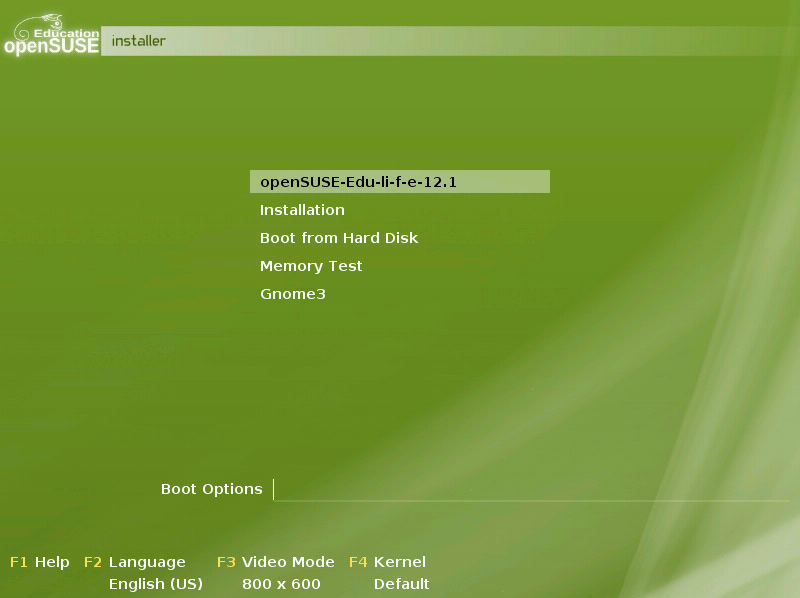
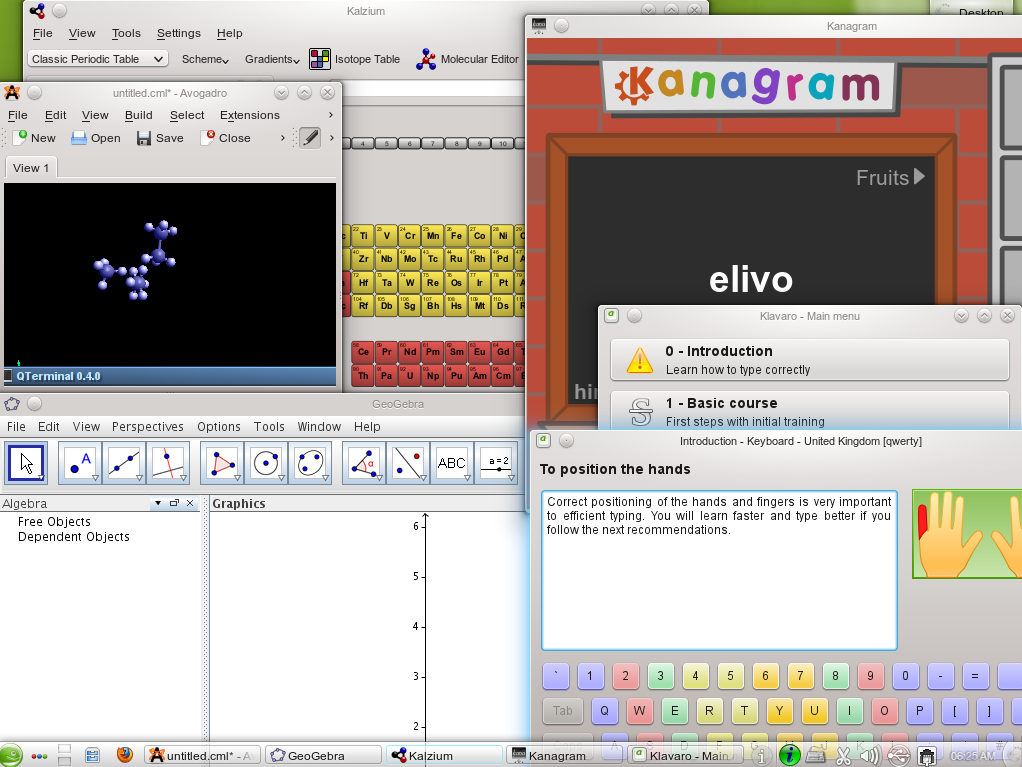
openSUSE Education team is proud to present another edition of openSUSE-Edu Li-f-e (Linux for Education) based on openSUSE 12.1. Li-f-e comes loaded with everything that students, parents, teachers and system admins of educational institutions may need.
Posts Tagged ‘LTSP’
Coming soon on the servers near you: Easy-LTSP-NG
June 2nd, 2009 by Jigish GohilEasy-LTSP, an easy to use GUI to configure LTSP‘s lts.conf file was developed as a part of Google Summer of Code ’08 by Jan Weber. It was written in C#, it was decided to use C# at that time to accomplish a complex task in a very short period of time given for GSOC. Thanks to it setting up LTSP on openSUSE is just a few mouse clicks.
Easy-LTSP was designed to work on any distribution, but unfortunately it is not integrated anywhere other than openSUSE, discussing with the upstream LTSP developers suggested the slight reservation could be due to it being written in C#. We wanted to add new features to the GUI to take care of all the exciting new development we have in KIWI-LTSP so it was felt that the rewrite will be much better option than to extend the current code, as it is anyway being written from scratch why not use something like Python which would be easier to attract more contributors and increase possibility that users of all distributions running LTSP server can benefit from it inclusion in their prefered distro.
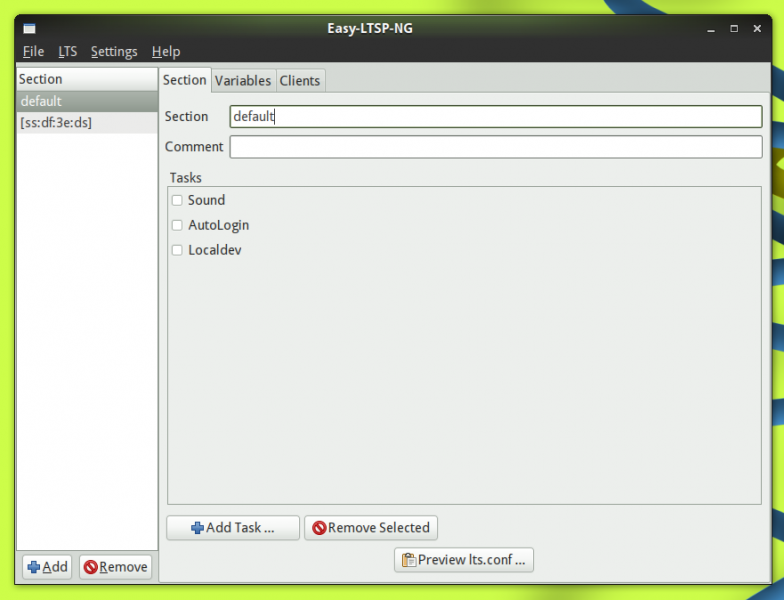
Here are the screencaps of the “Next Generation” Easy-LTSP(click image to see full album):
The code is in very initial stage, many things do not work yet, these screenies would give some idea where the design is going. If you are a developer interested in hacking get the source from here, drop us a line if you want SVN commit access. If you are a user and have some suggestions or an idea how this tool should be like file an enhancement request on devzilla here.
LTSP and x86_64 server x86 clients problems solved
December 17th, 2008 by TuukkaI was looking for something to solve my last problem how to heck compile binaries on x86_64 openSUSE 11.0 to KIWI-LTSP x86? I was lost.. totaly then i found this and decided to add LTSP developer tools (GCC and needed libs) and finally it worked. Only problem is that those LTSP machines are slow on building but I got to get icecream working on them
. I admit this is not best way to solve this but seems to work…
X86 ain’t X86_64 on LTSP
November 26th, 2008 by TuukkaDear Doc I have problem
My LTSP server is X86_64 openSUSE 11.0 and clients are x86 VIA processor machines. I want to do C-coding on LTSP server and compile them to x86 for locally testing on LTSP clients.
Okay hello-world.c goes very fine with gcc -m32. Users are happy. Then comes my problem I like to compile x86 programs that have x86-libs. There is some libraries in repos that have x86 libs also but not all. So is there easier way to do this than make like it can be done in build (I know this rpm making command but only for root) just type something and magic happens?? I have solved this using libraries from build-root (build-command) but there is problems with this also.
Please help. Am I fat I’m allmost 30 (27.11 actually) 185 cm and weight 78?
First impressions of Kiwi-LTSP 0.5.0
September 22nd, 2008 by TuukkaWhen I find out that Kiwi-LTSP 0.5.0 packages were out I just thought NAAH another update. Then I thought again and decided gave it a testdrive and WOOT it worked like a charm. Never been better! I get everything working from the box. All I needed was add my Xorg driver (openChrome) and on extra-package dir and with the latest changes manually editing config.xml is not required anymore. add the space separated list of packages to LTSP_LOCALAPPS=”” in /etc/sysconfig/kiwi-ltsp and run kiwi-ltsp-setup -s. ( http://en.opensuse.org/LTSP/Localapps#Adding_application_into_the_image_to_run_as_localapps ). I was running fully working LTSP thinclient enviroment.
To try it out of the box follow wiki help here and then install at least there packages. edit your /etc/sysconfig/kiwi-ltsp to fit and run kiwi-ltsp-setup (See correct value what you need):
- kiwi-ltsp-bootimages (Kernel)
- kiwi-ltsp-prebuilt (LTSP image)
Digging futher
Biggest happiness is on localapps they work. I could get every X app pop to my screen from thinclient. Why is this so needed.
- When user goes Youtube. Flash player works as expected. Full speed
- There is some apps that should be runned on client (Develoment/Serialport)
- Playing video (See 1)
Sound is working with pulseaudio (ESD in some apps). Device mounting works as expected. Only think I can complaing is ugly LTSP start screen on LDM (I should commit another artwork!). Some other problem I should exam is that it creates working initrd but it’s size is 41mb which is HUGE! because original is something like 21mb
This was quick peek. I write more when I get really on this new season of LTSP.
Some things thats sometimes bothers me on open source/free software
September 19th, 2008 by TuukkaThis post is about complaining. If you don’t want to read it don’t. First I have to say i’m happy with openSUSE 11.0 (It’s best openSUSE ever). After that I have say then comes hardware problems on shiny new HP Proliant DL385GS (4 core AMD CPU).
Everything start on sunny day i’m happy installing openSUSE 11.0 from x84_86 DVD. Everything goes fine and smooth. Then I set up LTSP5 and it goes excelent (remember to remove pulseaudio from server to make it work wirth audio). Users starts to use LTSP5 and suddenly everything doesn’t go fine anymore. Machine crashes everytime they start to do something else than just login (open firefox crash, listen music crash or watch youtube guess what crash). Client keeps itself up but server goes down fast. No kernel panic nothing (Nothing on /var/log/message nor in dmesg)!
I called to HP just to hear awful news. openSUSE is not supported. Okay I understand they can’t support every distro on earth but Novell ain’t small player, openSUSE is quit popular. We can use SLES (this is not about money) but it’s too ancient for us. So we choose suffering!
After calling and mailing to HP I tried updated kernel (2.6.25.14 something) it didn’t help. Then I tried some HEAD 11. 0 kernel RPM and now this machine is working like a dream. Nothing in 2 days. I’ve been torturing it like a maniac and it just keeps going. Lesson learned if you have new server test it good before let anyone else try it.
My problems were not ended here. We have nice VIA based thinkclients and they have INTEL soundcard (snd-hda-intel). I liked to have pulseaudio on them because it just rocks! I tried and tried but could get it working. I debuged and debuged until I figured out there is no mixer device. That’s why I can’t get it working.
Easy task just a small patch. Then I popped on pulseaudio Trac and filed a ticket. To just find out it’s ALSA problem. How the heck this get like this? Should I always live on the edge? I just like that my audio device work out of the box. Not everyone have newest ALSA or event possibility/cabability to install/use it. Dark nerd side of me refuses this fact (Live fast, short and always on edge) but my sysadmin side says I just want everything work easy until the pitty end.
ps. I get very nice answer and even nicer reanswer to my complains in pulseaudio trac. Many thanks to you! Pulseaudio still rocks and hopefully they get 1.0.0 out of the door soon. Until then I listen my favourite tunes with it (Rebeloiusly with my patch on) and keep being happy.