

Aim
First of all we want to provide an general web based interface with the
functionality which is already provided by the YaST command line interface.
This API is based on the REST (Representational state transfer) architecture. This is a
simple interface which transmits domain-specific data over HTTP.
Please have a look to
http://en.wikipedia.org/wiki/Representational_State_Transfer
for more information about REST.
The second aim is to provide a YaST Web UI which can be used by every
web browser.
The current state of the project is an existing YaST-Webservice on the
host side which provides the REST based interface.
On the client side we have the concerning YaST-Webclient which can be
used be any web browser.
YaST-Webservice and YaST-Webclient are running as a webserver
(currently lighttpd) on different or even the same computer.
So the aim is to configure a host via the internet in a simple and
safety way.
How does it work ?
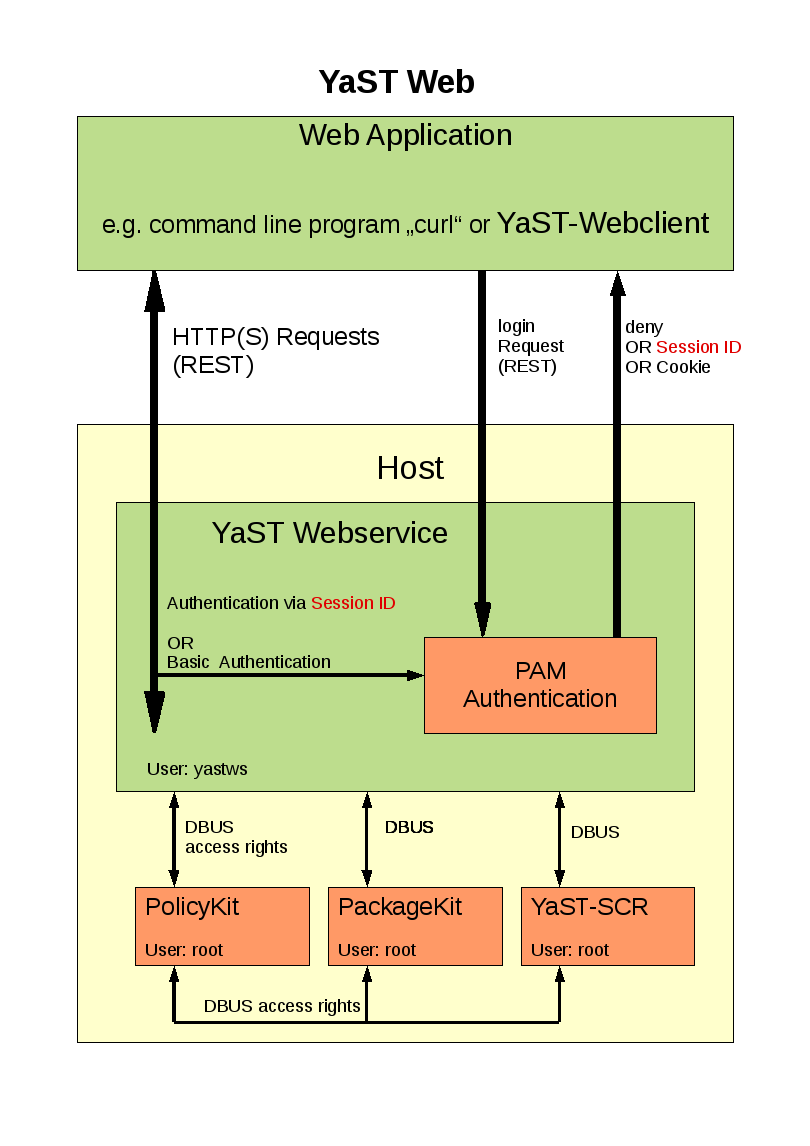
The YaST Webclient communicate via HTTP(s) with the YaST Webservice. The
user has to authenticate ( username, password ) to the host via PAM
(Pluggable Authentication Modules) which is available on every linux system.
The YaST Webclient sends requests ( e.g. create a user, install patch) to
the YaST Webservice. This service checks if the user has the right to
execute this request via PolicyKit. For each kind of request there is
PolicyKit rule defined. These rights has to be granted to the concerning user.
After permission check the request will be send via DBUS to the SCR agent of
YaST. The return value will be given back to YaST-Webclient in XML or JSON
format.
Patches will be handled by PackageKit. These requests will also be sent from
the YaST Webservice to PackageKit via DBUS.
How to get it ?
Have a look the openSUSE buildservice project
YaST Webservice (home:schubi2)
There are all needed packages for version openSuSE 11.1 and above.
As some additional packages (e.g. lighttpd) are needed which are not on openSuSE 11.1 you should add a
repositories ( e.g. factory ) in order to provide these packages.
The simplest way for installation would be to use zypper:
zypper in yast2-core-2*.rpm
zypper in ruby-dbus-*.rpm
zypper in yast2-webservice-*.rpm
zypper in yast2-webclient-*.rpm
How to use the YaST-Webservice
After you have installed these packages you can start the YaST-Webservice-Server with
rcyastws start
The server is running as “localhost:8080” with which you can connect with a web browser:
http://localhost:8080
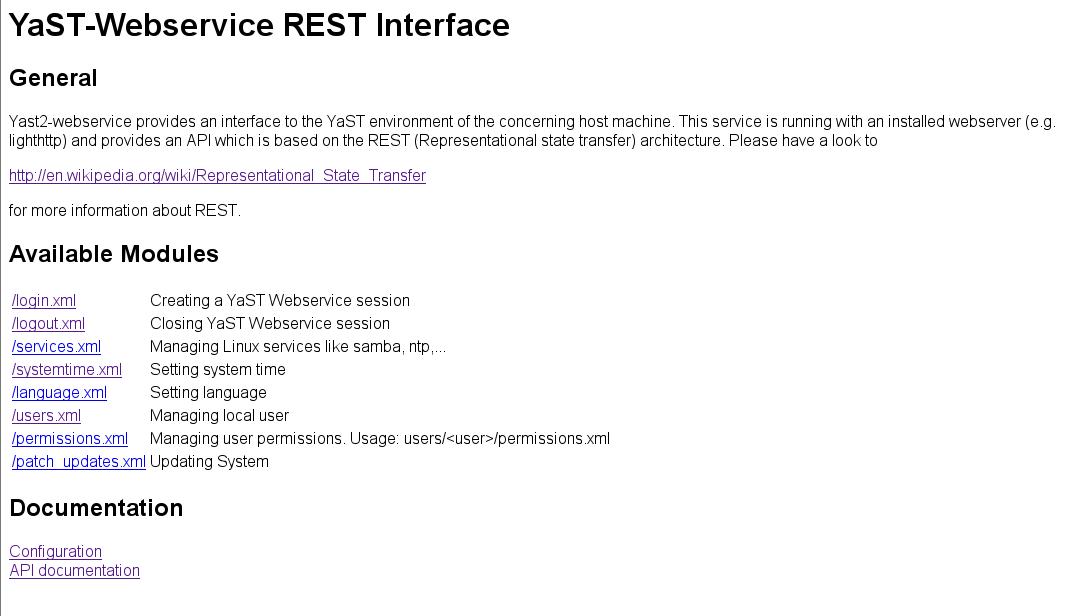
This “pure” web page shows the available modules which can be used via the REST interface.
This REST API is described under
http://localhost:8080/doc_interface.html
Additional configuration stuff like
– setup Hostname and Port
– setup HTTPS connection
– granting permissions for an single user
– AVAHI support
can be found here:
http://localhost:8080/doc_config.html
How to use the YaST-Webclient
After you have started the YaST-Webservice-Server you also can start the YaST-Webclient:
rcyastwc start
Now you can use any browser and connect with http://<name of your computer> to your
computer.
The default rights of the YaST Webservice are set to root only. So you can login with the root password
of that machine.
Following features are implemented:
– setting languages
– setting system time
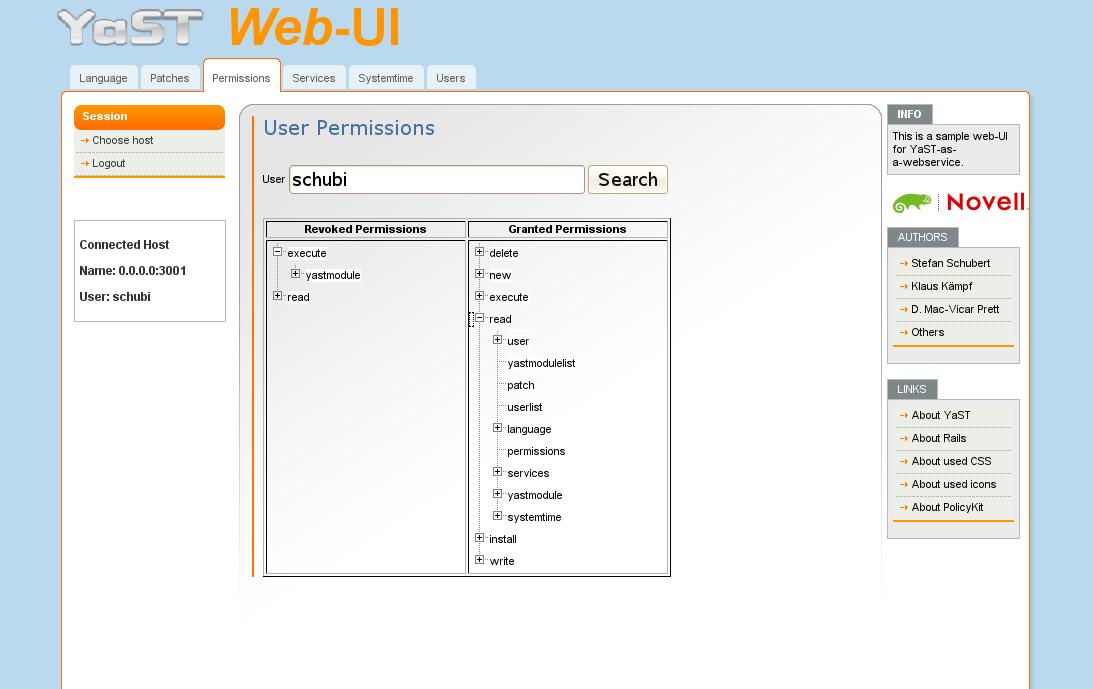
– setting user permissions
– installing patches
– managing local users
– export user SSH-keys
– starting,stopping,status,… of services
– configuration of ntp server
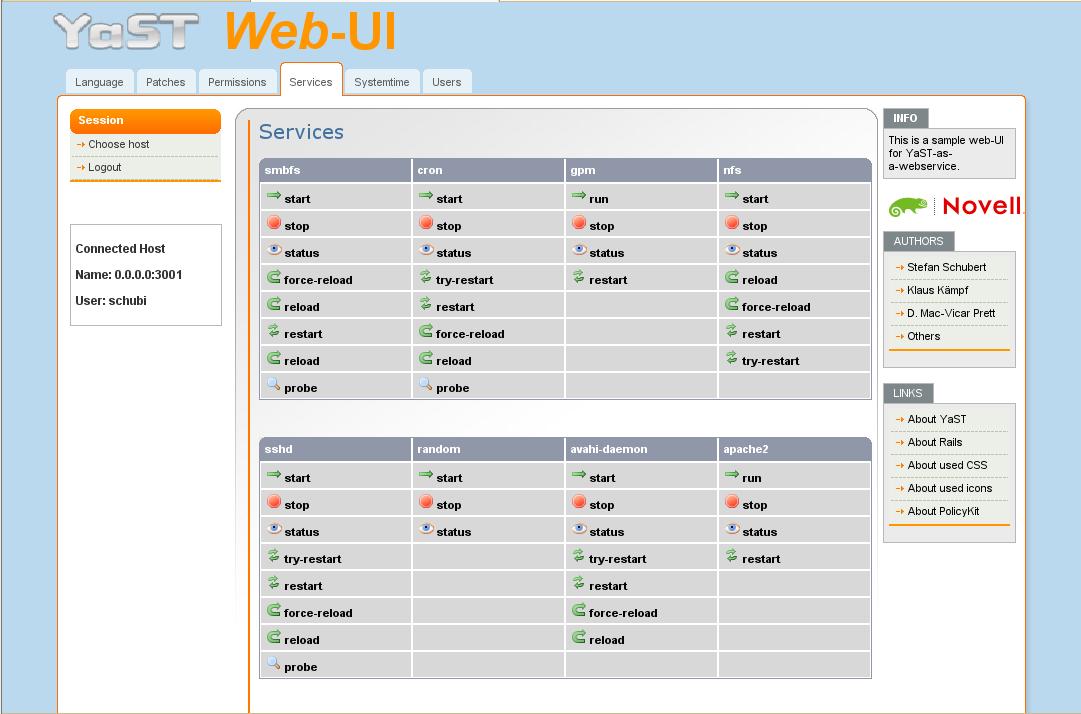
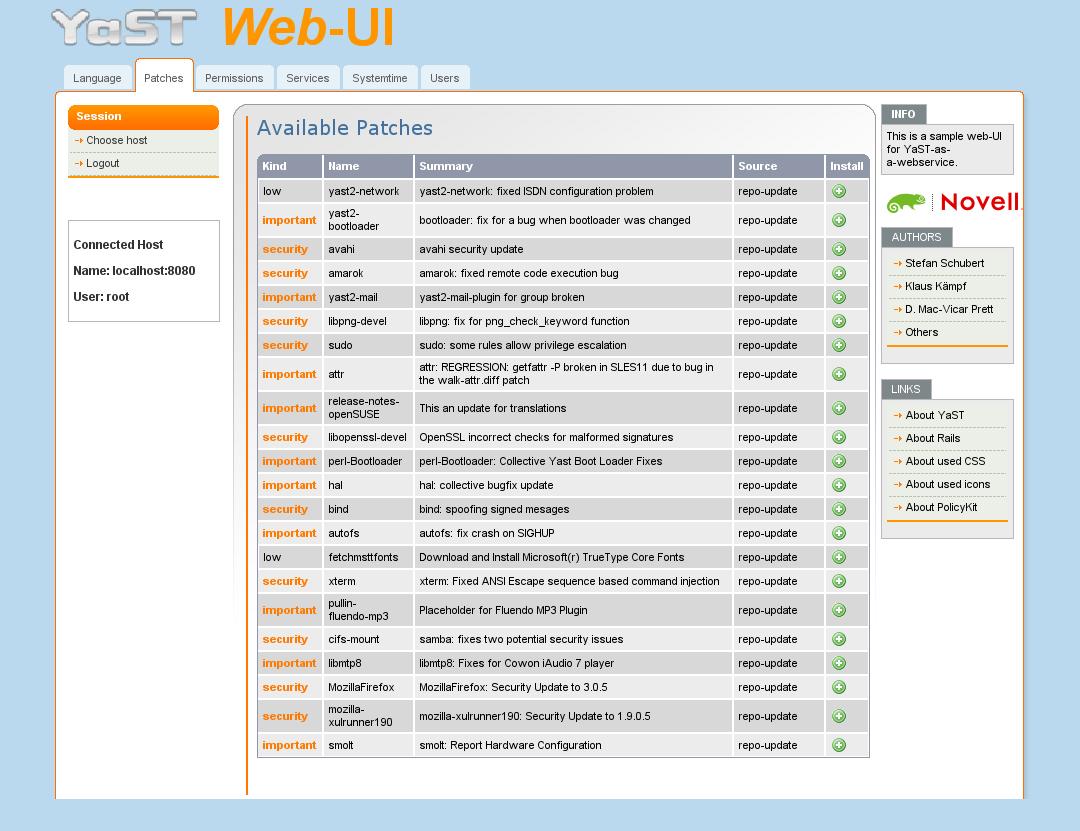
Have a look to the following screen shot it order to give an overview how it looks like:
Known Bugs
-The first call of an menue entry will be slow cause an additional process will be started.
The second one should be much more faster 🙂
-Permissions will sometime not be shown correctly (just click “search” again) Bug 470645
Both comments and pings are currently closed.


This looks really cool!
How about getting rid of YaST altogether? I like that idea much better than this convoluted mess. Keep it simple, stupid.
You don’t work in software development do you?
http://www.joelonsoftware.com/articles/fog0000000069.html
The YaST web service still reuses lot of knowledge encapsulated in the ycp modules. We are aiming for an evolution of YaST to the web world, an interoperable YaST.
This is a horrible idea! Webmin has been around for years, but not become a de facto standard.
I really like fact that YaST will work with a terminal, and not require complicated client software like a web browser to function.
While I appreciate the development, I’m not sure how much I dig this idea. I like YaST as it stands, but I don’t see a huge need for YaST web services.
I suppose that as long as it doesn’t run on startup out of the box, it wouldn’t be a bad idea. It’s always good to give people options.
You’ve made some real progress here, keep up the great work!
Hi Christopher.
That is why there is a web service and a web client.
On the desktop side the need is not that big like in the appliance market. Your own router usually requires turning it on and accessing it via a web browser to setup the basic stuff. People running appliances expect more or less the same.
However, on the desktop side, having a web service allows applications, scripts and frontends to use simple http requests to get and set configuration (the web client is actually that, a very thin application doing http get’s and post’s to the service), while YaST retains all the business logic, and in a secure manner. This opens a new door to the community. You can use http from any language/platform out there.
Why not using webmin as a base for the works on this webbased yast?
subjective (which is discussable :-))
======================================
webmin is well a know administration tool for experts and NOT for “normal” users.
Additional, over the years I have gotten the impression that the devolopment of webmin
has lost “speed”. See comment of Rob.
objectiv
==========
webmin runs with “root” rights and cannot run with other user accounts. There is
no user management and right access management.
So, from the security side it is not useful for server products.
> no user management and right access management.
Sorry, this is wrong since at least the year 2001. Webmin allows to define users and groups as known on Unix/Linux machines. These users/groups can get “acls” depending on the implementation in the used modules.
So – for example – it’s already possible with webmin to define a “usermanager” group, which is allowed to manage users on a machine, and add users to this group. It’s even possible to allow just to add users instead of deleting or modifying existing ones.
From this point of view, webmin is very useful for server products as it allows a fine granulary access management for each module (and even the submodules) – more useful than YaST in it’s current state.
Yes, you are right there is a user management in Webmin. That was my fault.
BUT have a look to there homepage: http://doxfer.com/Webmin/WebminUsers
As far I have understood Webmin is still running with root privileges:
“Because Webmin still runs with full root privileges even when used by a restricted user, it still has access to all the configuration files and commands that it needs.”
Due that they are not really convinced about that concept:
“You must be very careful when granting access to un-trusted Webmin users though, as even a small mistake in the access control configuration may allow the user to edit arbitrary files on your system or run commands as root. All it takes is a small hole for an attacker to sneak through and take total control of your system. Webmin’s access control capabilities give you the power to lock down users, but only if used properly.”
So Webmin has the same problem as YaST: The complete application runs with root privileges. So from the security side this is horrible and will be not
useful for a server product. That’s why we have not gone that way in YaST and that’s the reason why YaST does not have a user management.
Since the combination of pam,policyKit and DBUS we have the chance to close that gap.