openSUSE Lizards

Authors
Adrian Schröter (2)
Andrea Florio (1)
Andreas Jaeger (5)
Andrew Wafaa (13)
Arvin Schnell (1)
Bernhard Walle
Casual Programmer
Christoph Thiel
Christopher Hobbs
Cristian Rodríguez
Dirk Müller (1)
Duncan Mac-Vicar
Gabriele Mohr
Henne (1)
Hubert Mantel (1)
J. Daniel Schmidt (1)
Jan Blunck
Jan Madsen
Jan-Christoph Bornschlegel (1)
Jan-Simon Möller (4)
Josef Reidinger
Kevin Dupuy (6)
Klaas Freitag (7)
Klaus Singvogel
Ludwig Nussel (1)
Marcus Moeller (1)
Marcus Schaefer
Martin Lasarsch (3)
Masim Sugianto (16)
Michael Andres (1)
Michal Marek (3)
Michal Zugec
mrdocs
Peter Nixon
Peter Pöml (1)
Petr Mladek
Rossana Motta (1)
Rupert Horstkötter (1)
Stanislav Visnovsky (1)
Stefan Haas
Stefan Hundhammer
Stefan Schubert (1)
Steffen Winterfeldt (2)
Susanne Oberhauser
Thomas Schraitle (4)
Xin Wei Hu


Author Archive for Michal Marek

Accessing the Build Service from Eclipse

1 Star2 Stars3 Stars4 Stars5 Stars (4 votes, average: 3 out of 5)
Loading ... Loading ...
Wednesday, August 13th, 2008 by Michal Marek

One of this year’s Google Summer of Code projects is a an Eclipse plugin to access the Build Service, developed by Long Hong from Beijing. If you are interested, read on.

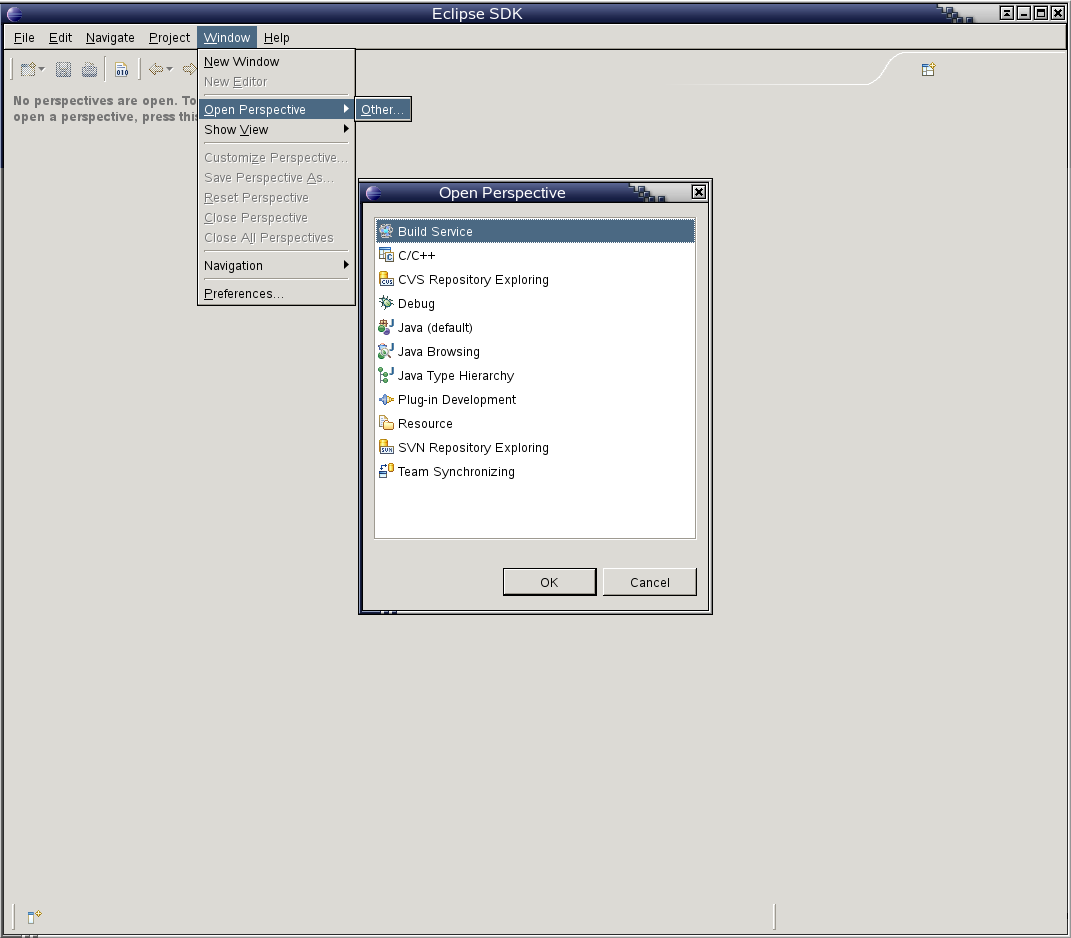
open Build Service perspective

While there are still issues to be solved, I think it’s in a state that everybody can try it out. Grab a package from my home project, launch eclipse and open the Build Service perspective. Please note that the package itself is a bit experimental and was only tested to work on openSUSE 11.0. Enjoy! ;-)

screenshot of the properties view

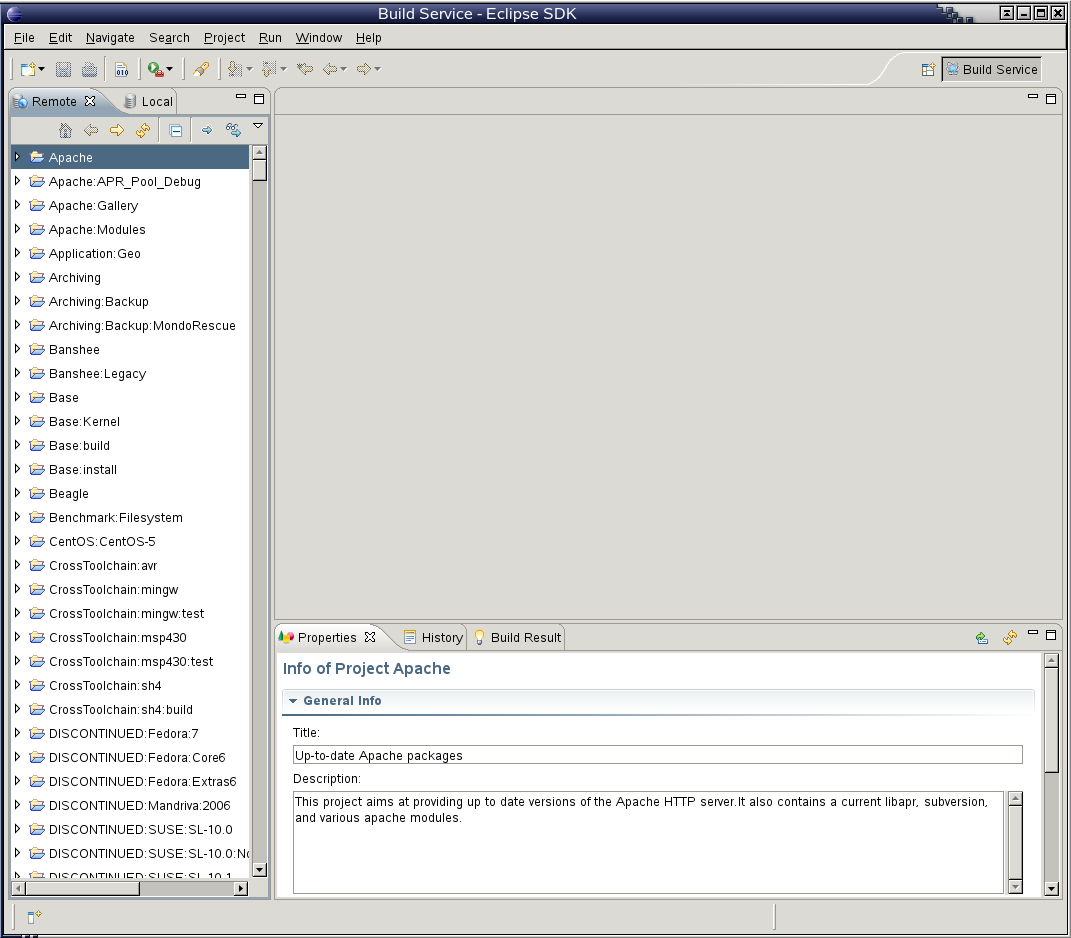
screenshot of the remote view

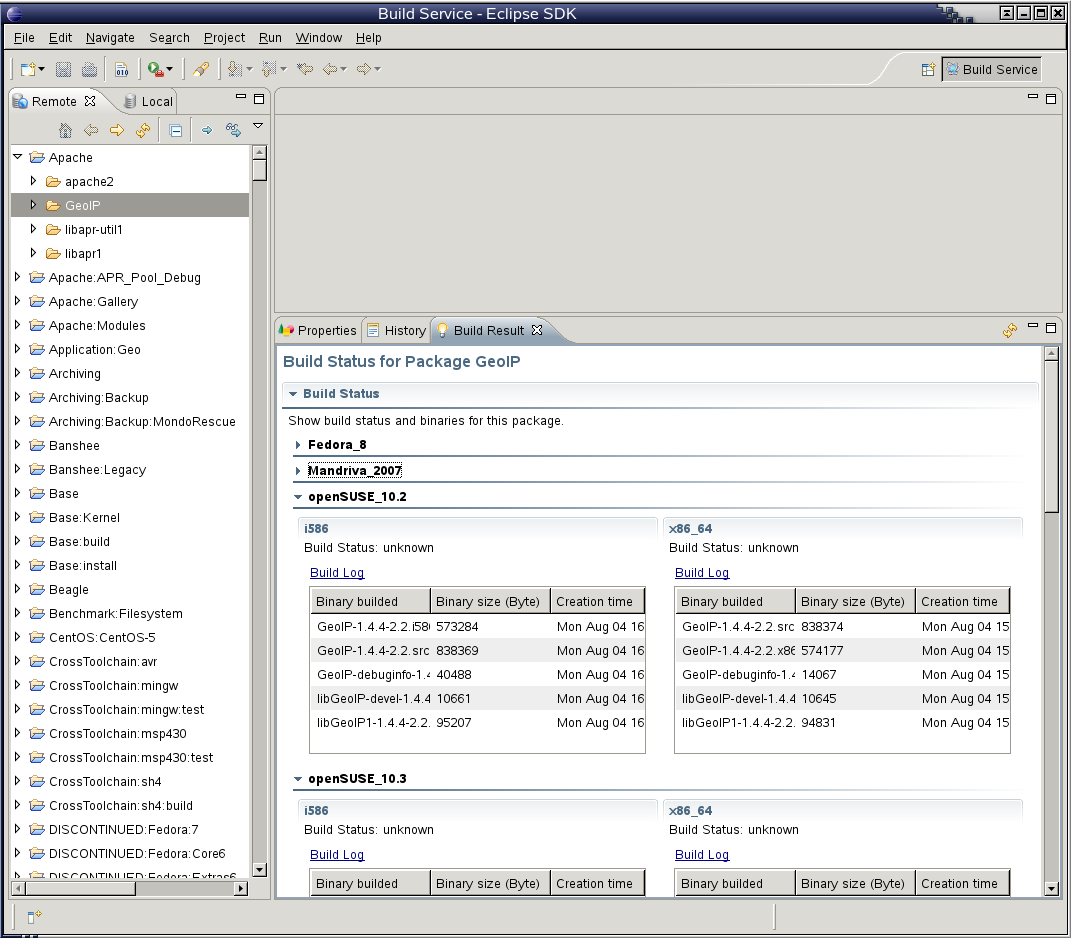
screenshot of the build result view

Trick of the Day: Reboot as User

1 Star2 Stars3 Stars4 Stars5 Stars (5 votes, average: 2.6 out of 5)
Loading ... Loading ...
Friday, July 18th, 2008 by Michal Marek
$ reboot
-bash: reboot: command not found
$ /sbin/reboot
reboot: must be superuser.

In KDE / GNOME, you can just click reboot in the menu and your session sends a message to display manager, which runs as root and does the dirty job of rebooting or shutting down your machine. Unfortunately, things are not that easy if you are using a simpler window manager or want to shutdown from a script. Sure, there is sudo, but that has to be configured first to work without password. Luckily, after a couple of hours of googling (only to find helpful advice as “this can be done easily with ConsoleKit or hal”), reading documentation of dbus, {Console,Policy}Kit and hal and clicking in qdbusviewer, I finally found a way with hal+dbus:

$ dbus-send --system --dest=org.freedesktop.Hal \
  --type=method_call --print-reply \
  /org/freedesktop/Hal/devices/computer \
  org.freedesktop.Hal.Device.SystemPowerManagement.Reboot

To shutdown, just replace Reboot with Shutdown. I’m going to add this to the default icewm configuration, so that the logout menu finally works.

learning ruby…

1 Star2 Stars3 Stars4 Stars5 Stars (2 votes, average: 5 out of 5)
Loading ... Loading ...
Monday, May 26th, 2008 by Michal Marek

Recently, I wanted to show how the buildservice makes packaging easier by creating a specfile template for you (just click the “Create RPM SPEC file templat” checkbox when creating a new package). Unfortunatelly, the template it creates is not really useful for someone not skilled in writing spec files. Also, it’s just a static template, so you have to write the summary and description even though you have just entered both in the web form. Definitely nothing to show off to newbies ;-). But knowing that the buildservice developers have more important stuff to do, and wanting to learn something new, I decided give it a try and fix it myself.

My idea is: The buildservice api asks a set of questions, which are presented by the client (webclient, osc, …) to the user, and creates a specfile based on these questions. Also, the api tries to suggest good defaults where possible. After spending some time learning ruby, rails and the api code, I have an ugly 200 line patch to the api that generates a working specfile for GNU hello ;-).

wizard in action

The user interface part is not yet done, but should be easy. What’s more chalenging is adding heuristics to “do the right thing”: detecting the build system (autotools, cmake, Makefile.PL, etc), detecting build dependencies, and so on. Right now, it only extracts the version number from the tar name.