openSUSE Lizards

Authors
Adrian Schröter (5)
Agustin Chavarria (1)
Akhil Laddha
Alexander Naumov
Alexander Orlovskyy (3)
Alexey Eromenko
Alin M Elena (4)
Andrea Florio (14)
Andreas Jaeger (44)
Andreas Stieger (1)
Andreas van dem Helge
Andrej Semen
Andrew Wafaa (25)
Arvin Schnell (6)
Beineri2
Bharath Acharya
Bonnie Kurniawan
Brian G. Merrell
Carl Fletcher
Casual Programmer
Christoph Thiel
Christopher Hobbs (15)
Ciaran Farrell (2)
Coly Li
Cristian Rodríguez
Daniel Bornkessel
David C. Rankin
Dean Hilkewich
Dinar Valeev (5)
Dirk Müller (1)
Dmitry Serpokryl (7)
Duncan Mac-Vicar
Enrique Herrera Noya
Eugene Pivnev
FabioMux (1)
Federico Lucifredi
Frank Lee
Gabriele Mohr
Gerrit Beine
Helman Rene Taleno Martinez
Helmut Schaa
Henne (6)
Herbert Graeber
Holgi (2)
Hubert Mantel (1)
Ioan Vancea
J. Daniel Schmidt (1)
Jaime Andrés Vélez Osorio
James Tremblay (7)
Jan Blunck (4)
Jan Madsen (1)
Jan Nieuwenhuizen
Jan-Christoph Bornschlegel (3)
Jan-Simon Möller (19)
Javier Llorente (1)
Jigish Gohil (22)
Jiri Srain (1)
Jiří Suchomel (1)
jloeser (1)
Johan Kotze (5)
John Terpstra
Joop Boonen
Josef Reidinger (7)
Juergen Weigert (1)
Julio Vannini (7)
Justin Haygood
Kálmán Kéménczy
Kevin Yeaux (10)
Klaas Freitag (20)
Klara Cihlarova
Klaus Kämpf
Klaus Singvogel
kl_eisbaer (10)
Lars Marowsky-Bree
Li Bin
Ludwig Nussel (6)
M. Edwin Zakaria
Manuel Trujillo
Marcus Hüwe (8)
Marcus Meissner (1)
Marcus Moeller (1)
Marcus Schaefer (3)
Martin Lasarsch (8)
Martin Mohring (8)
Martin Schmidkunz
Masim "Vavai" Sugianto (20)
Matt Sealey
Mauro Parra-Miranda
Michael Andres (1)
Michael Löffler (3)
Michael Skiba
Michal Marek (3)
Michal Vyskocil (8)
Michal Zugec
mrdocs
Nikanth Karthikesan (2)
Oprea Lucian
Oswin Zulu
Peter Nixon
Peter Pöml (4)
Petr Mladek (30)
Petr Uzel (1)
Philipp Thomas
Pragnesh Radadiya
Ray Chen
Ray Wang (1)
Ricardo Varas Santana (6)
Richard Bos (4)
Robert Lihm
Roland Haidl
Roman Drahtmueller
Rossana Motta (1)
Rupert Horstkötter (10)
Sascha Manns (45)
Sebastian Schöbinger (4)
Stanislav Visnovsky (7)
Stefan Haas (1)
Stefan Hundhammer (5)
Stefan Schubert (3)
Steffen Winterfeldt (4)
Stephan Kulow (10)
Suman Manjunath
Suresh Jayaraman (1)
Susanne Oberhauser (2)
Syamsul Qamar Ngabito
Thomas Göttlicher (4)
Thomas Schraitle (13)
Thruth Wang
Tuukka (11)
Ulrich Hecht
Wilken Gottwalt
Will Stephenson (1)
Xin Wei Hu


Author Archive for Stefan Schubert

New YaST-Web released 1.0.1

1 Star2 Stars3 Stars4 Stars5 Stars (4 votes, average: 3.25 out of 5)
Loading ... Loading ...
Wednesday, April 1st, 2009 by Stefan Schubert

We have released a new version of Web-YaST with following changes:

  • Added translation support on the client side.
  • Added ruby-gettext
  • Split off ruby-rpam and ruby-polkit in single packages.
  • Switch off IPv6 in lighttpd cause it has produced some undefined errors. (esp. on 64bit)
  • Added package dependencies concerning rails. The last few weeks have shown that RAILS versions are not really compatible. So many problems have been happened due different RAILS versions on the systems where YaST-Web has been installed. Please use RAILS 2.1
  • Cleanup code.

The newest packages can be found here:
https://build.opensuse.org/project/show?project=home:schubi2

Or

https://build.opensuse.org/project/show?project=YaST:Web

It would be nice to get some feedback. Bugzilla would be a nice option  :-)

Thank you !

YaST WEB

1 Star2 Stars3 Stars4 Stars5 Stars (10 votes, average: 4.00 out of 5)
Loading ... Loading ...
Tuesday, February 3rd, 2009 by Stefan Schubert

Aim

First of all we want to provide an general web based interface with the
functionality which is already provided by the YaST command line interface.

This API is based on the REST (Representational state transfer) architecture. This is a
simple interface which transmits domain-specific data over HTTP.
Please have a look to

http://en.wikipedia.org/wiki/Representational_State_Transfer

for more information about REST.

The second aim is to provide a YaST Web UI which can be used by every
web browser.

The current state of the project is an existing YaST-Webservice on the
host side which provides the REST based interface.
On the client side we have the concerning YaST-Webclient which can be
used be any web browser.

YaST-Webservice and YaST-Webclient are running as a webserver
(currently lighttpd) on different or even the same computer.

So the aim is to configure a host via the internet in a simple and
safety way.

How does it work ?
YaST Web

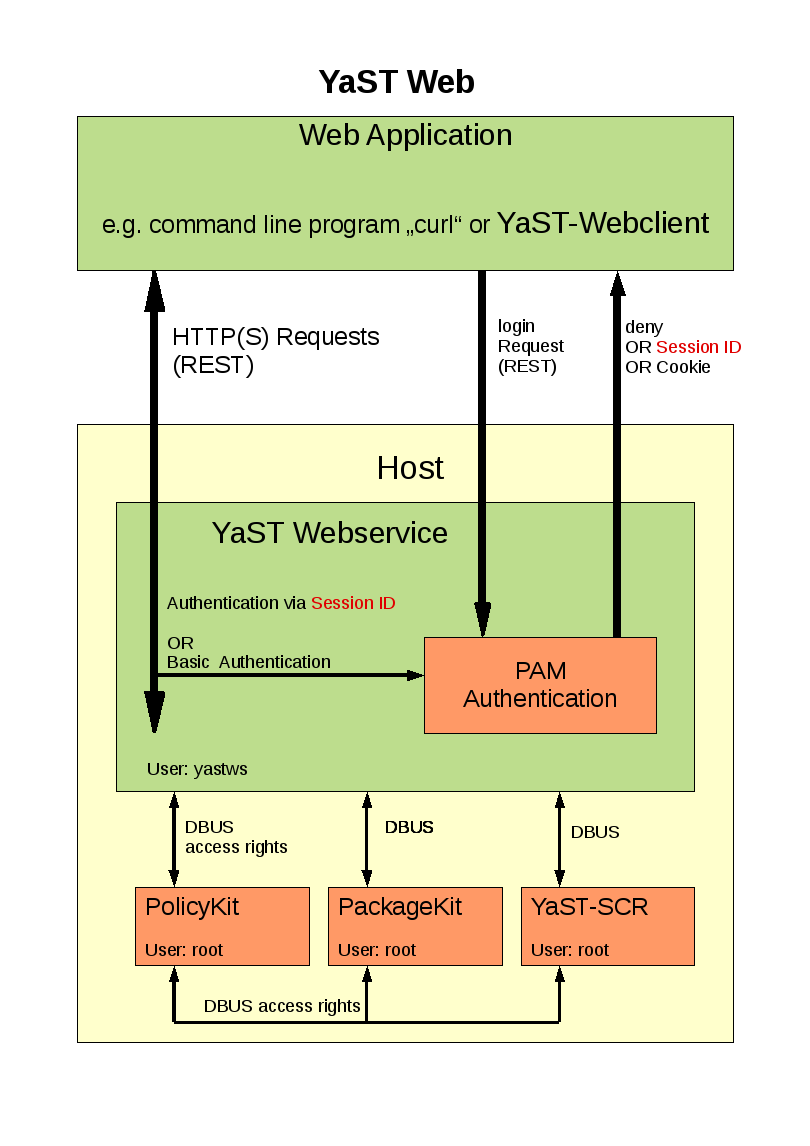
The YaST Webclient communicate via HTTP(s) with the YaST Webservice. The
user has to authenticate ( username, password ) to the host via PAM
(Pluggable Authentication Modules) which is available on every linux system.

The YaST Webclient sends requests ( e.g. create a user, install patch) to
the YaST Webservice. This service checks if the user has the right to
execute this request via PolicyKit. For each kind of request there is
PolicyKit rule defined. These rights has to be granted to the concerning user.

After permission check the request will be send via DBUS to the SCR agent of
YaST. The return value will be given back to YaST-Webclient in XML or JSON
format.

Patches will be handled by PackageKit. These requests will also be sent from
the YaST Webservice to PackageKit via DBUS.

How to get it ?

Have a look the openSUSE buildservice project

YaST Webservice (home:schubi2)

There are all needed packages for version openSuSE 11.1 and above.

As some additional packages (e.g. lighttpd) are needed which are not on openSuSE 11.1 you should add a
repositories ( e.g. factory ) in order to provide these packages.
The simplest way for installation would be to use zypper:

zypper in yast2-core-2*.rpm
zypper in ruby-dbus-*.rpm
zypper in yast2-webservice-*.rpm
zypper in yast2-webclient-*.rpm

How to use the YaST-Webservice

After you have installed these packages you can start the YaST-Webservice-Server with

rcyastws start

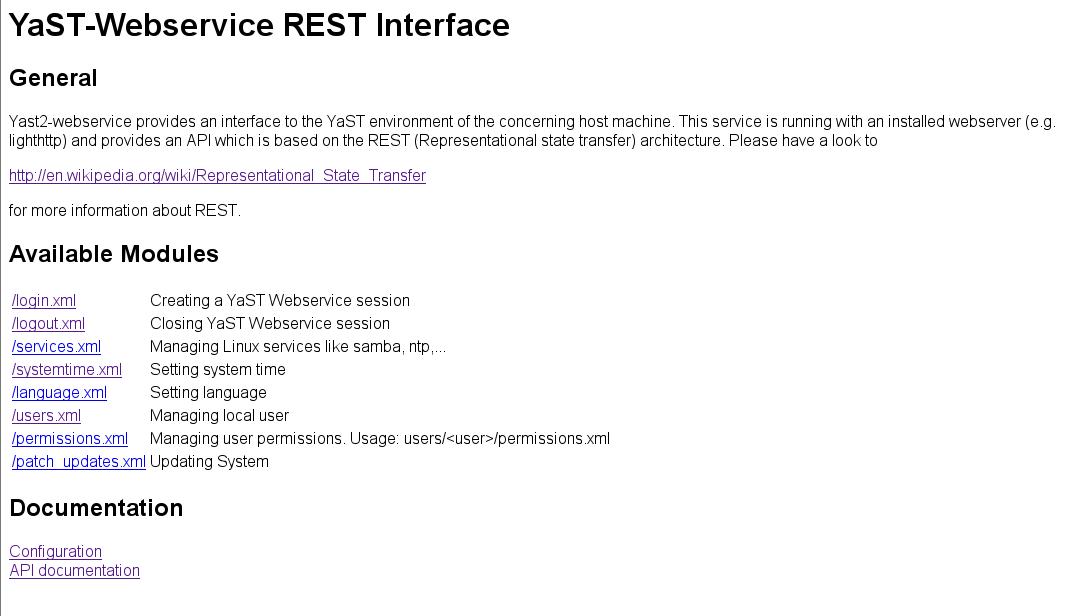
The server is running as “localhost:8080″ with which you can connect with a web browser:

http://localhost:8080
YaST-Webservice

This “pure” web page shows the available modules which can be used via the REST interface.

This REST API is described under

http://localhost:8080/doc_interface.html

Additional configuration stuff like

- setup Hostname and Port
- setup HTTPS connection
- granting permissions for an single user
- AVAHI support

can be found here:
http://localhost:8080/doc_config.html

How to use the YaST-Webclient

After you have started the YaST-Webservice-Server you also can start the YaST-Webclient:

rcyastwc start

Now you can use any browser and connect with http://<name of your computer> to your
computer.
The default rights of the YaST Webservice are set to root only. So you can login with the root password
of that machine.

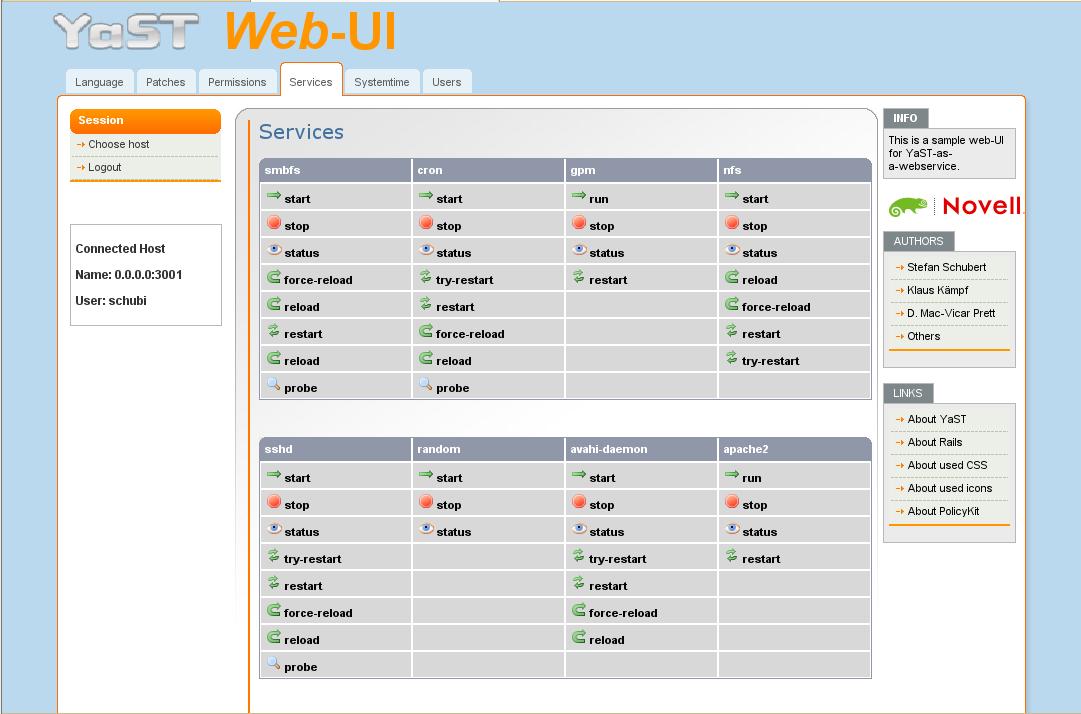
Following features are implemented:

- setting languages
- setting system time
- setting user permissions
- installing patches
- managing local users
- export user SSH-keys
- starting,stopping,status,… of services
- configuration of ntp server

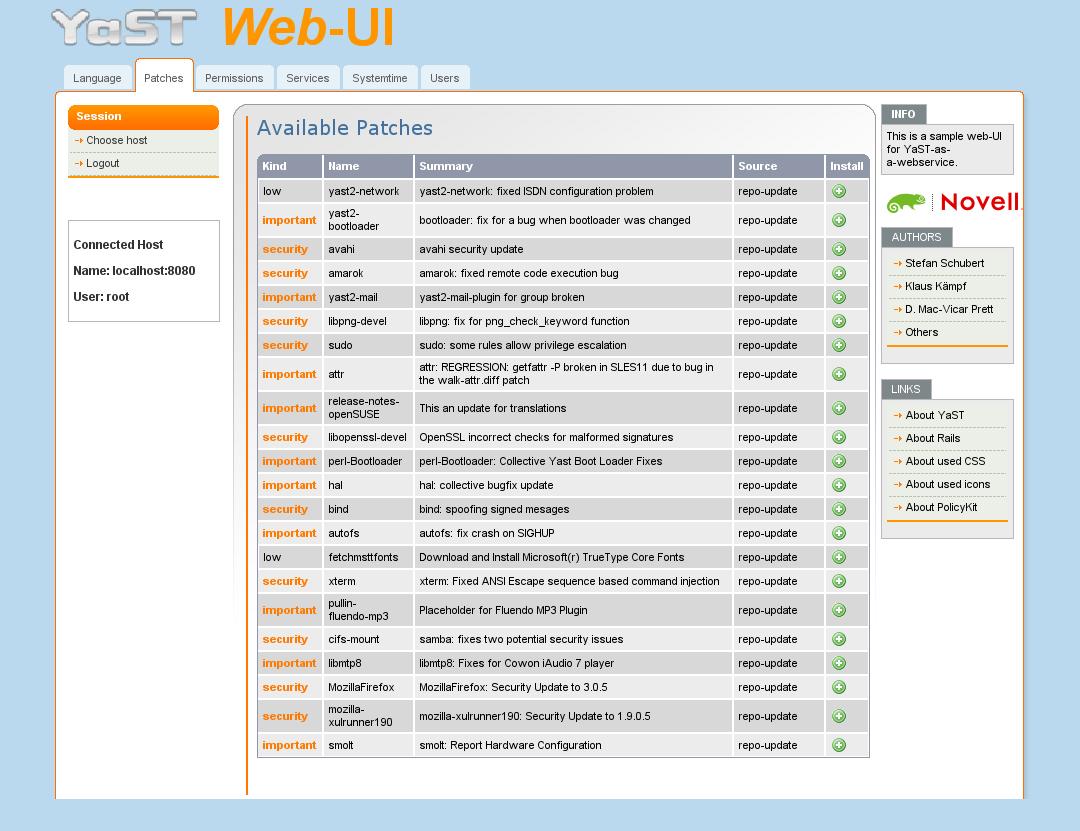
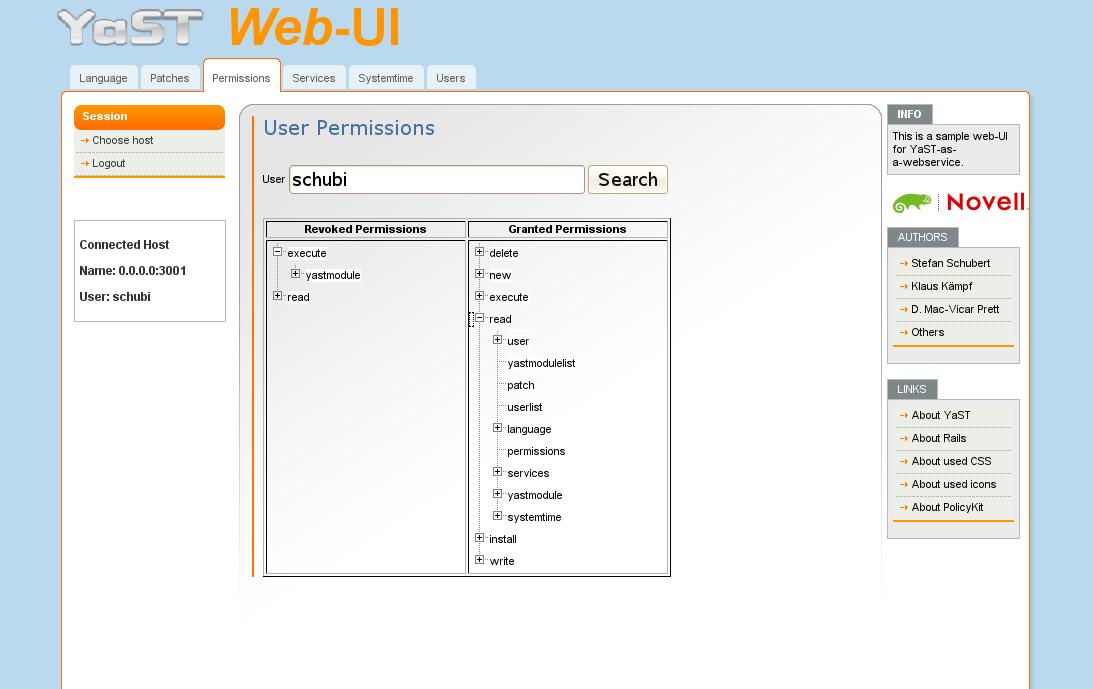
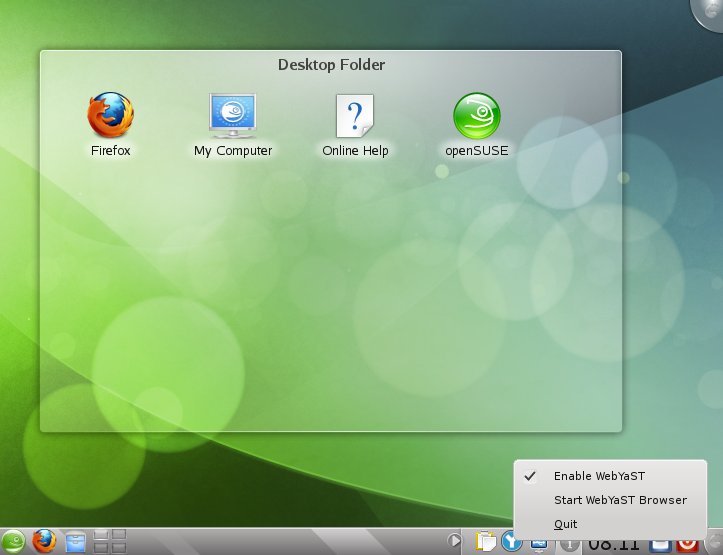
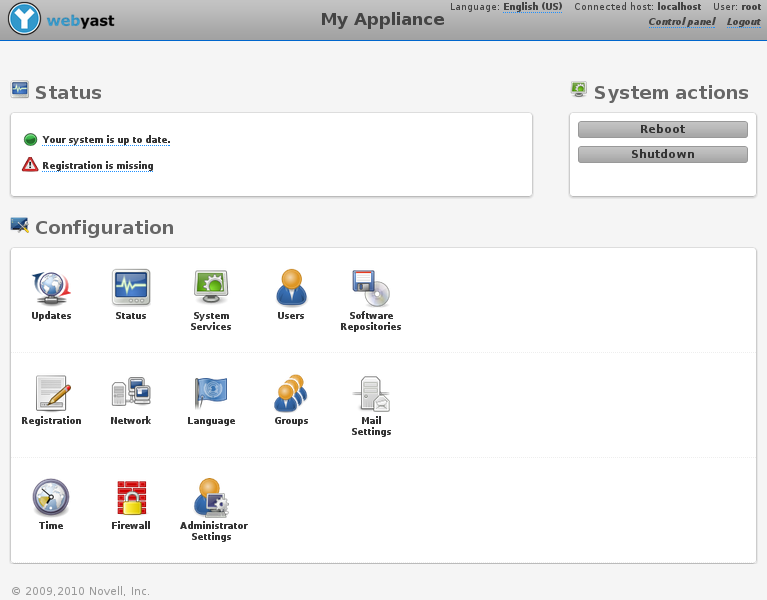
Have a look to the following screen shot it order to give an overview how it looks like:
System Services

Available Patches

User Permissions

Known Bugs
-The first call of an menue entry will be slow cause an additional process will be started.
The second one should be much more faster :-)
-Permissions will sometime not be shown correctly (just click “search” again) Bug 470645

Showing package dependencies

1 Star2 Stars3 Stars4 Stars5 Stars (9 votes, average: 4.56 out of 5)
Loading ... Loading ...
Friday, June 27th, 2008 by Stefan Schubert

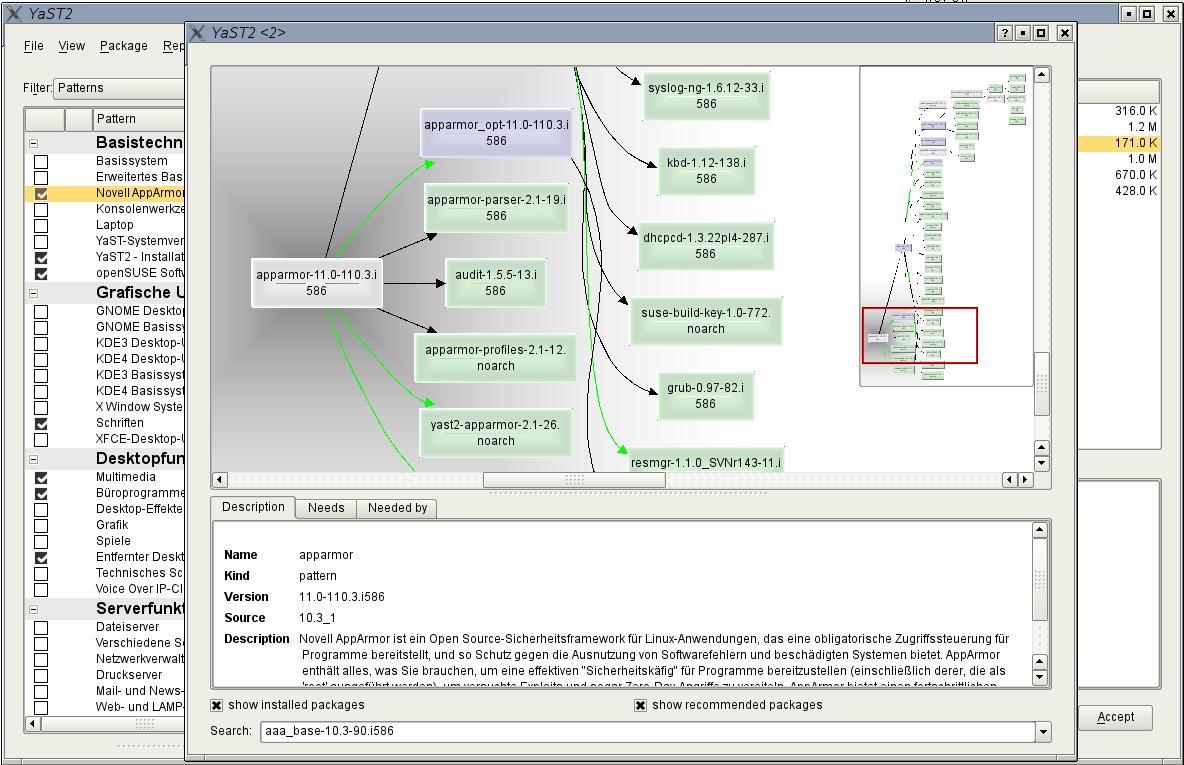
In order to give an answer about “Why this package will be installed and who needs it?” I have added a new Dialog in the QT single package selector:

Select one item (pattern, package) in the single selection frame, use the right mouse button and select “Show solver information”. A solverrun will be made for this item and the result will be shown with this dialog.

  • Black arrow : This item will be required by….
  • Green arrow: This item will be recommended by…
  • Green boxes: This package is already installed
  • Grey boxes: This package will be installed
  • Blue boxes: Patterns

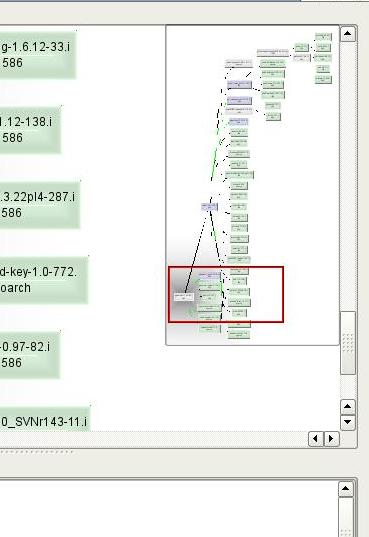
You can navigate through the tree via the overview frame:

After you have selected one item in the tree you can see more information about:

e.G. this item will install two further patterns due to the shown dependencies.

In order to decrease the complexity of the tree you can blind out:

  • already installed packages
  • recommended packages/patterns

So you will get a shrinked tree:

Technical Background:

This is a simple Qt Dialog widget which can be used in other programs too. ( Package libqdialogsolver1)

YaST uses this widget as a YaST plugin. So if this package is not available you will get a popup in single selection only.